
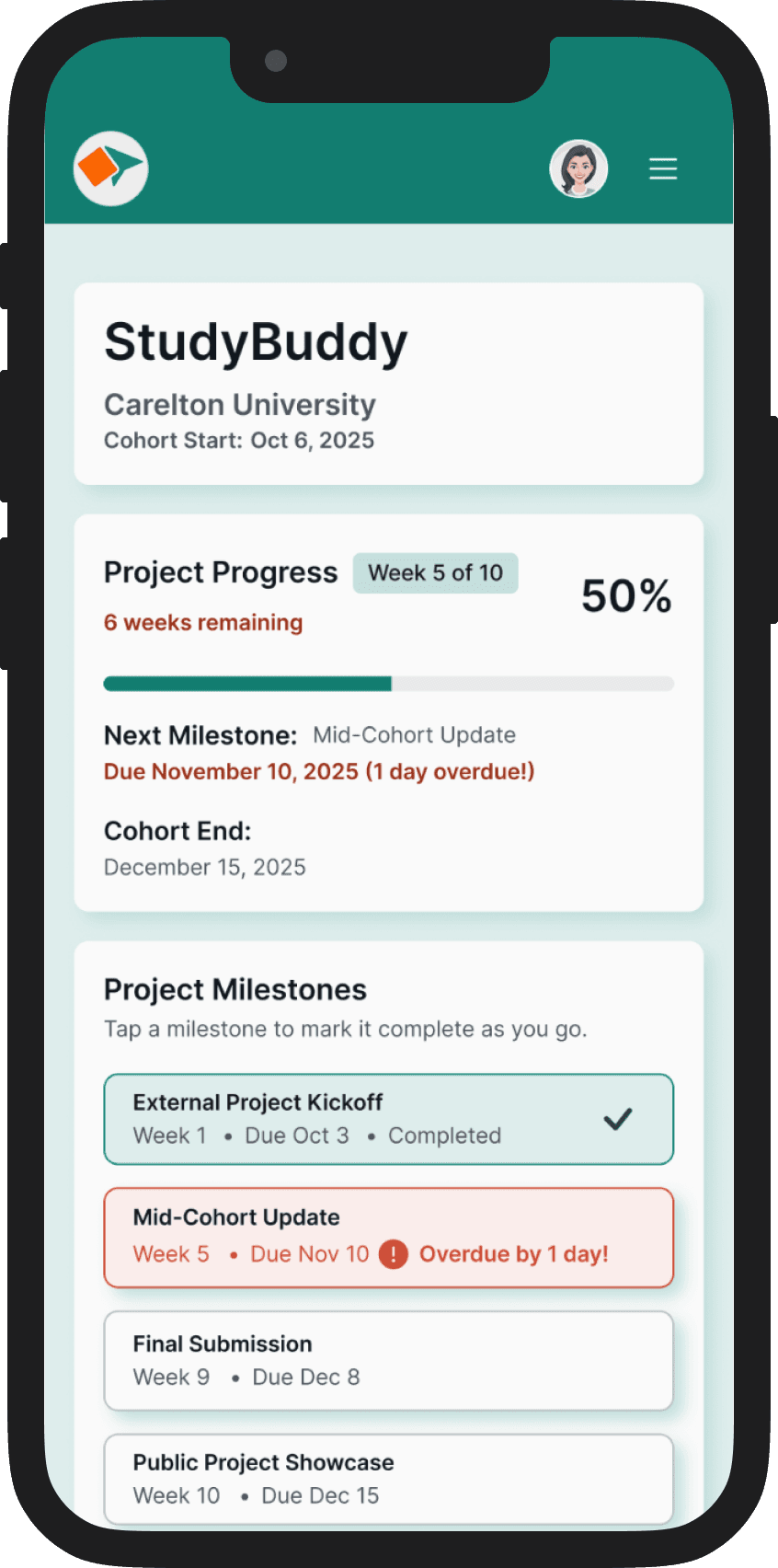
My Role: Volunteer UX Designer
Company: Prototyp3, an EdTech platform connecting students with real company projects
The Team: 4 designers, 2 developers on 0→1
Target Users: College Students
My Contribution: Led independent iteration on 1→2, redesigned progress tracking, validated with 5/5 confidence
Case Study Timeline: 8 weeks
"We were in the second-to-last week and I didn't realize we were so close to the deadline."
— Student who didn't finish
The Problem
Deadlines Were Invisible
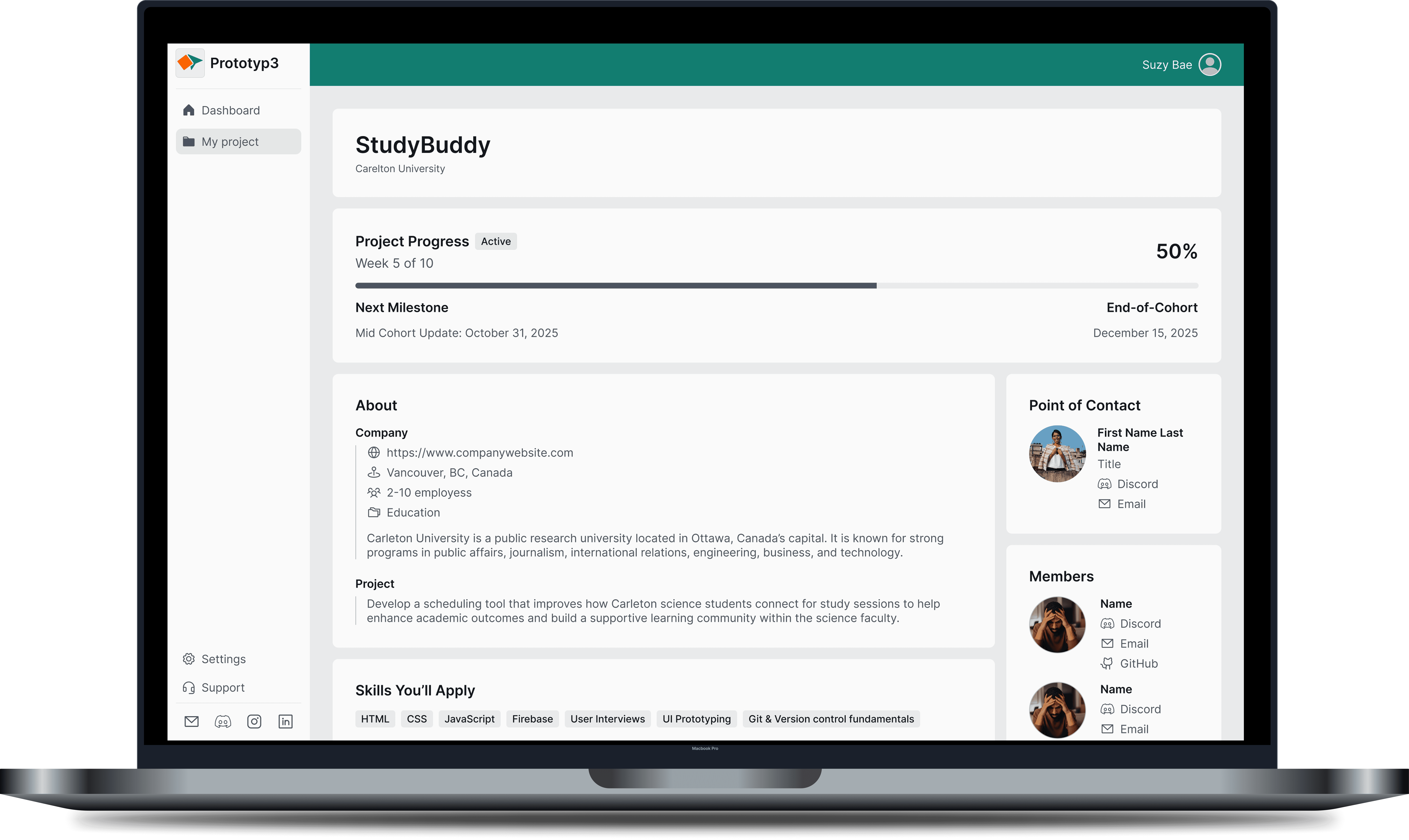
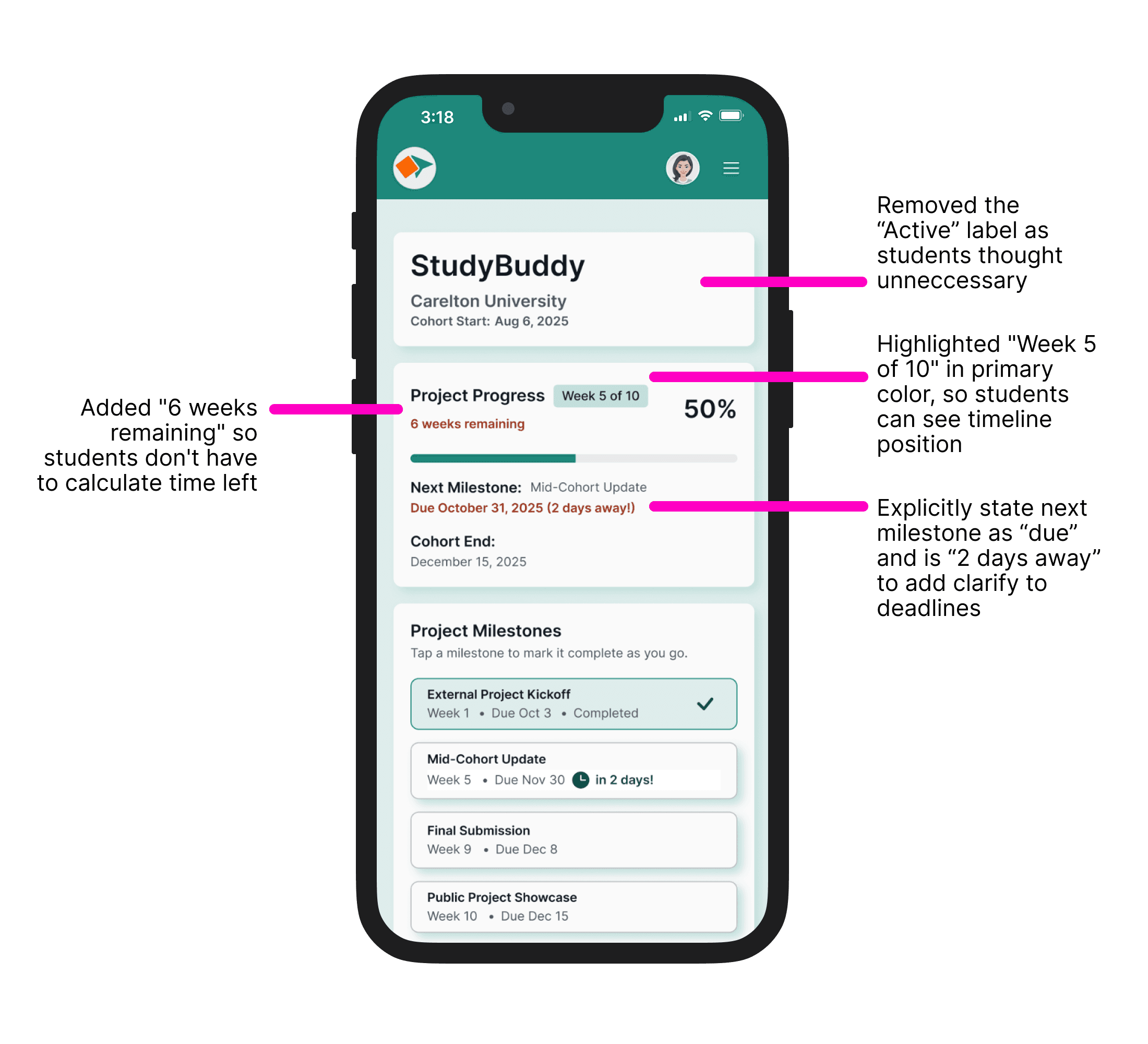
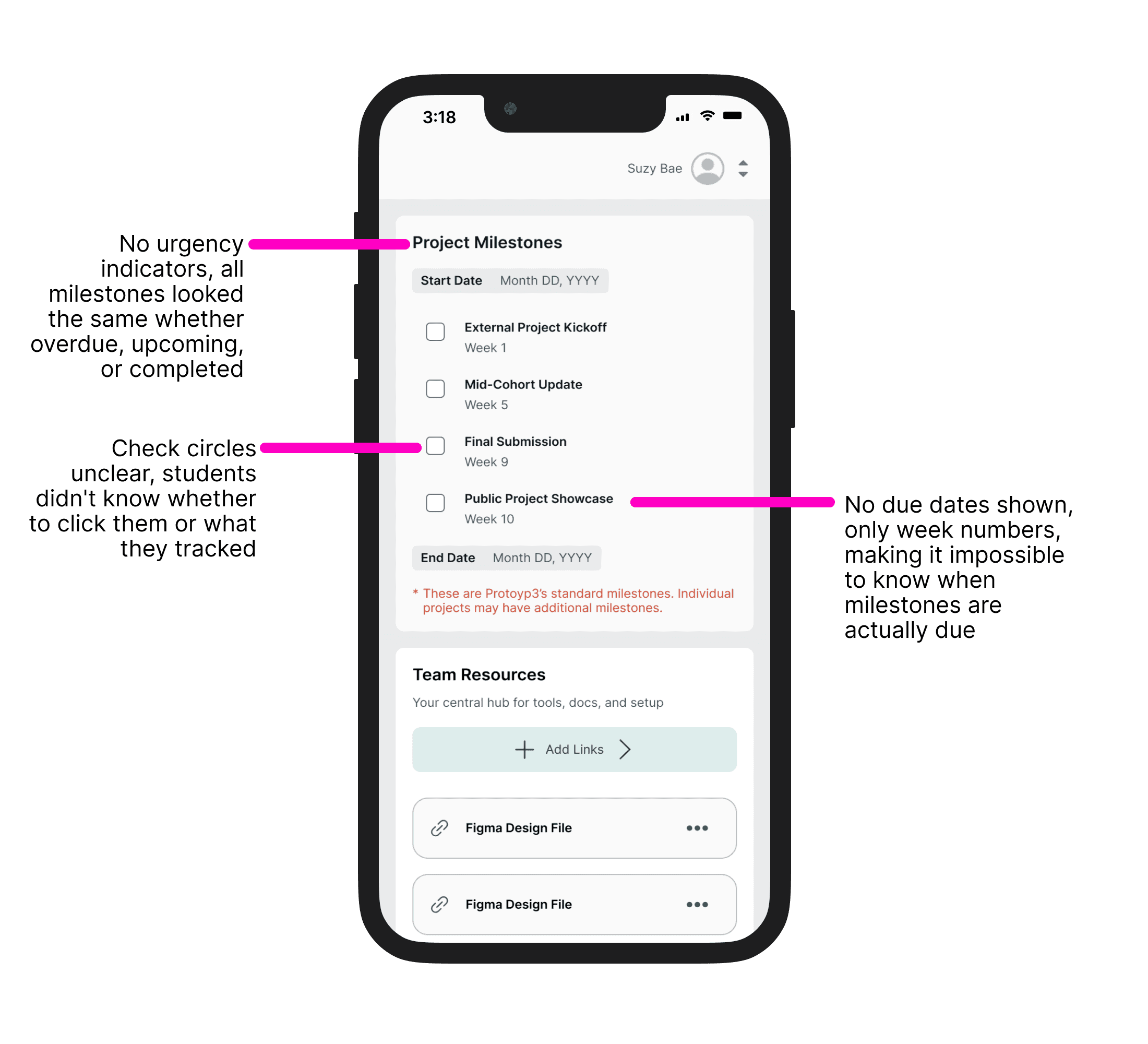
Students couldn't find deadline dates on the dashboard
Didn't know their timeline position (Week 5 of 8? Week 7 of 10?)
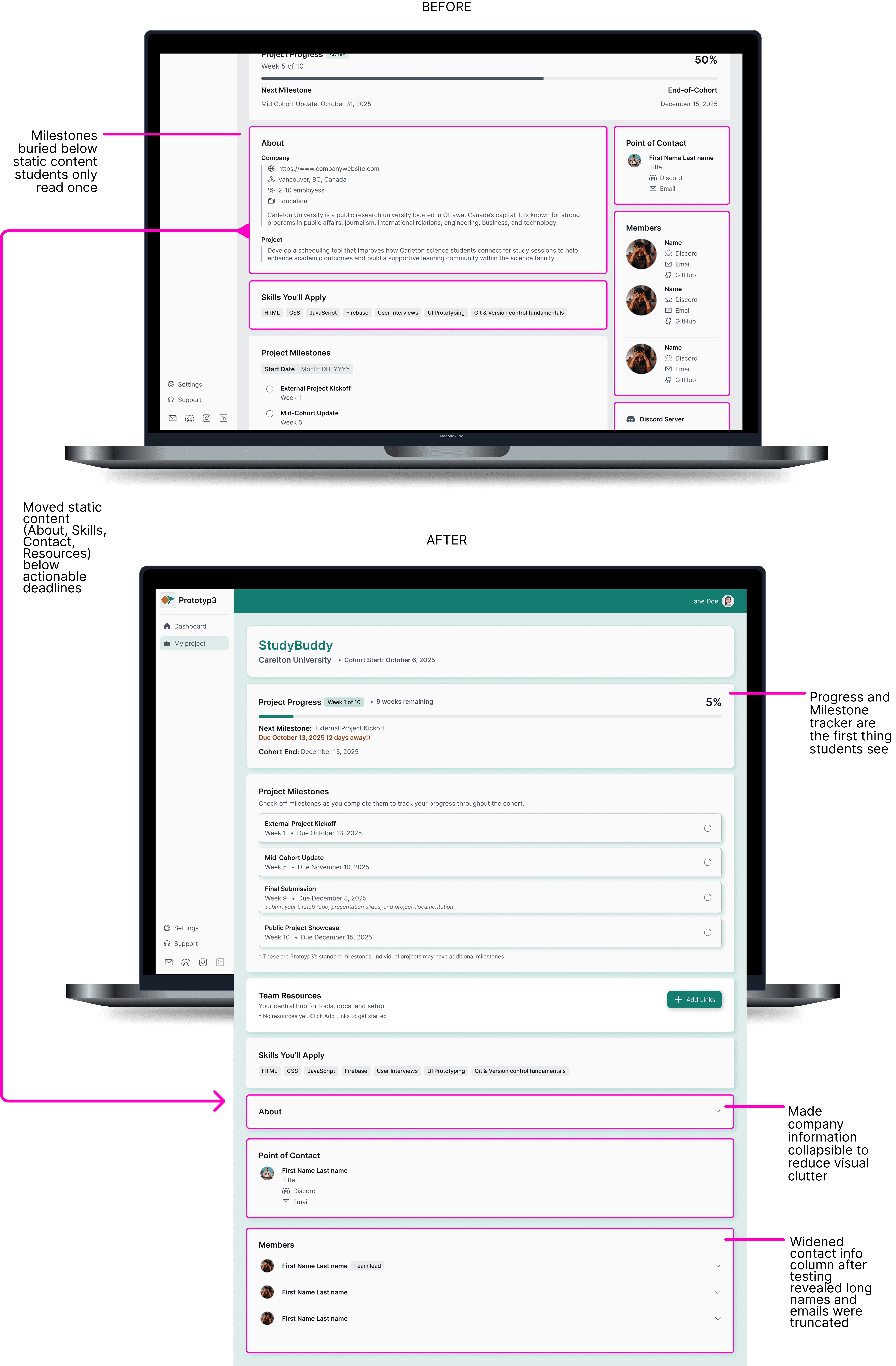
Milestone tracker buried below company info they'd already read
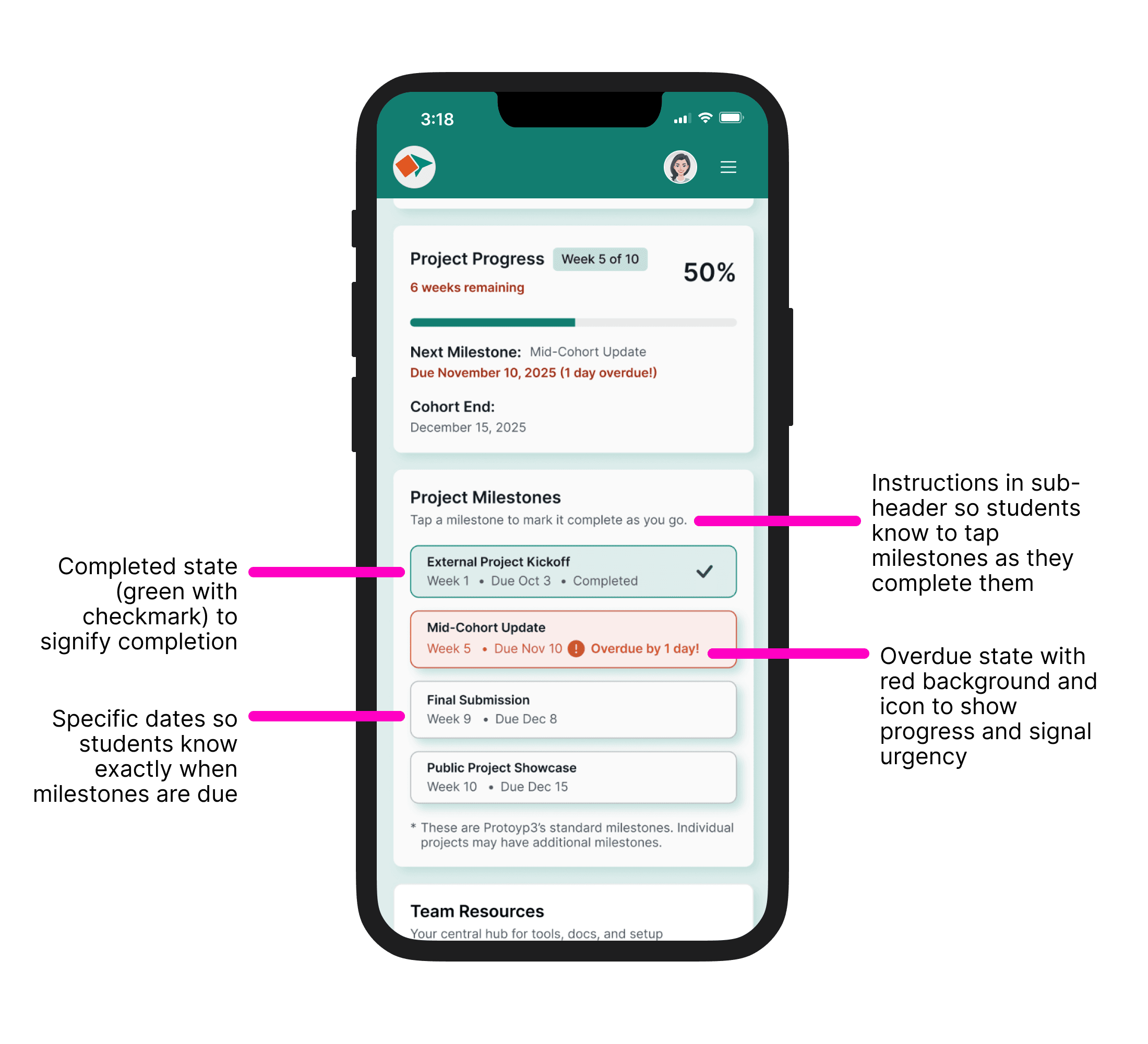
No urgency signals when deadlines were approaching
How can we make deadlines impossible to miss so students can confidently finish their cohort?
Before
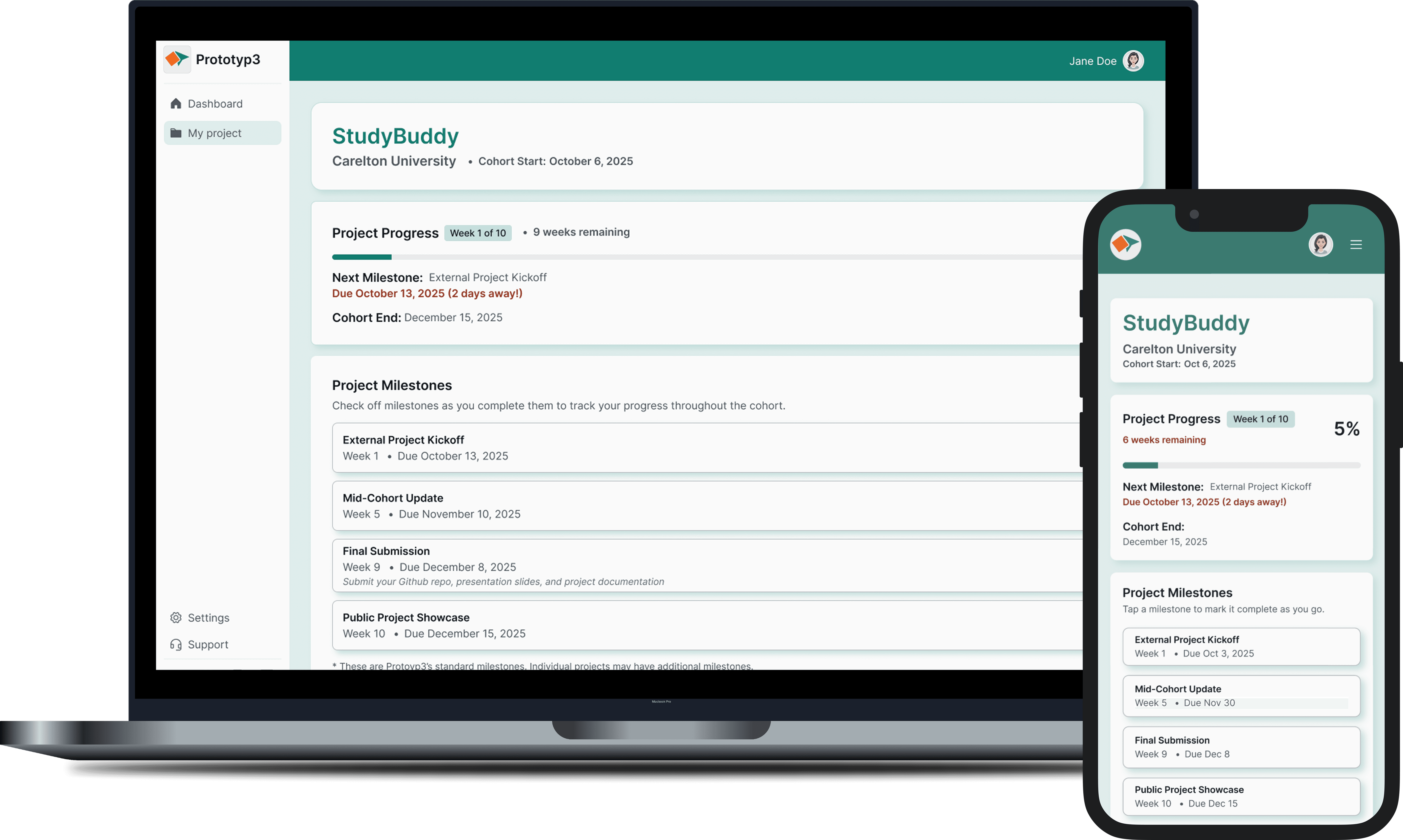
After
V1 Usability Testing Revealed Three Critical Gaps
Information architecture: Milestones buried below company info (3/4 participants affected)
Progress tracking: No visible dates or timeline position (3/4 participants affected)
Urgency signals: No accountability system for deadlines (2/4 participants affected)
Taking ownership of the next iteration cycle
After synthesis, I scoped the work into a focused 8 week iteration cycle I could own independently: redesign progress tracking and validate with users.
Making Deadlines Impossible to Miss
1
Increasing Timeline Visibility
Before
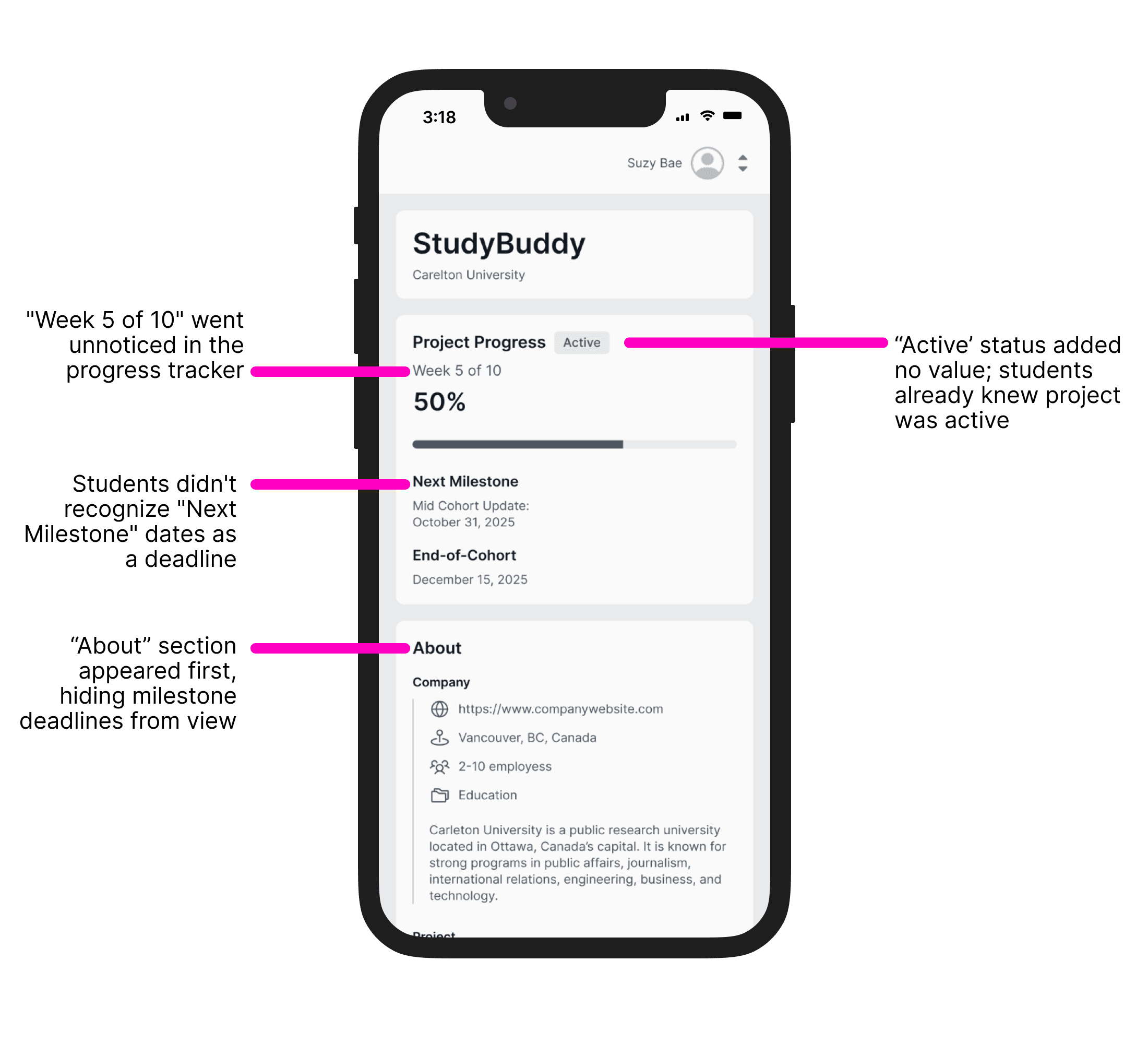
After
2
Impossible to Miss Milestones
Before
After
3
Display Deadline Info First
Improving the information hierarchy
Moving non-urgent items below timeline and milestone tracker
Students see deadline and urgent items first
usability testing
V2 Solved the Core Problem: Students Found Deadlines Instantly
Who I tested with
2 returning students from V1 testing
2 new testers (college students)
What I tested
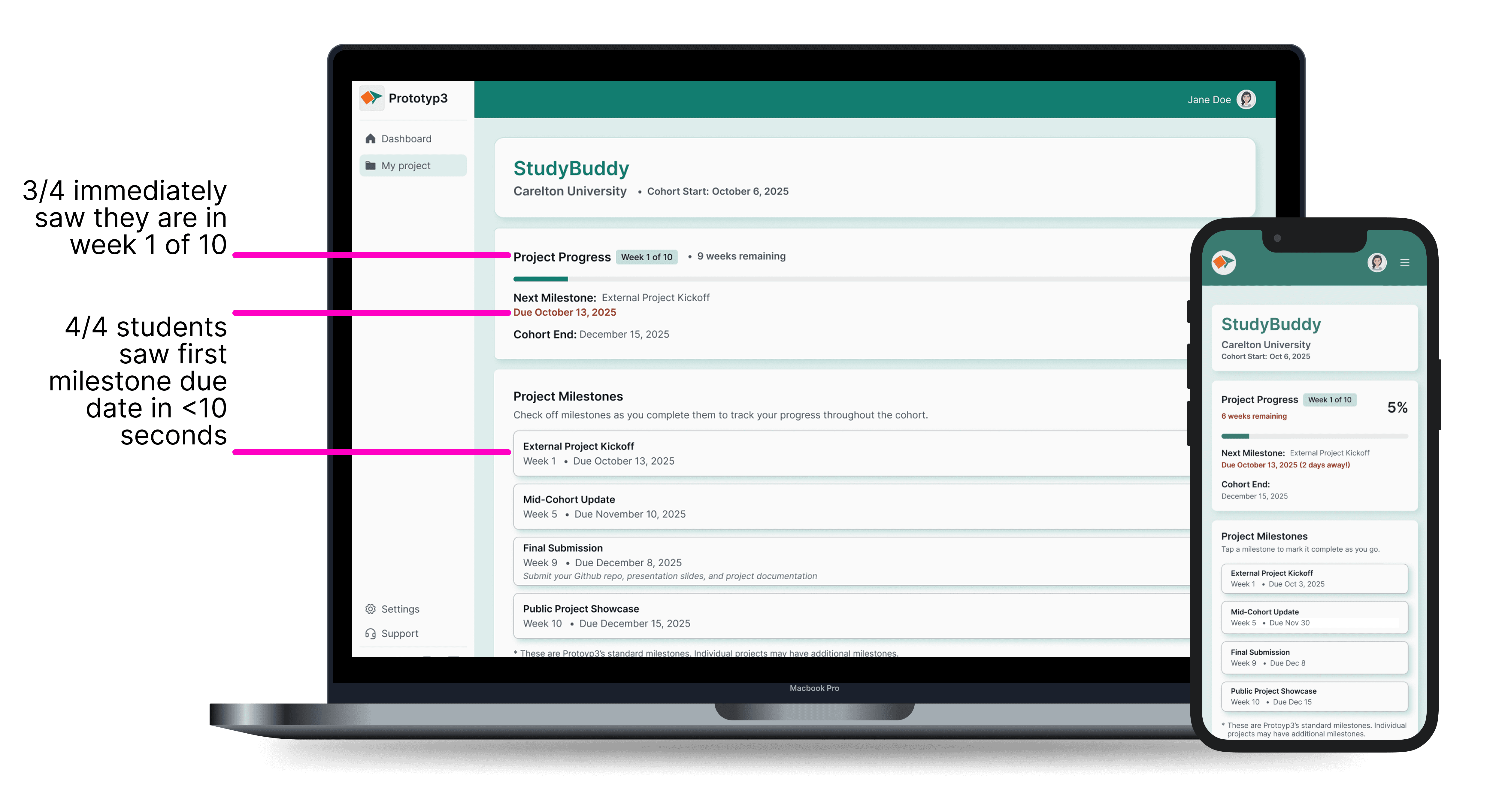
Week 1 (9 weeks ahead) - Can students find their first deadline?
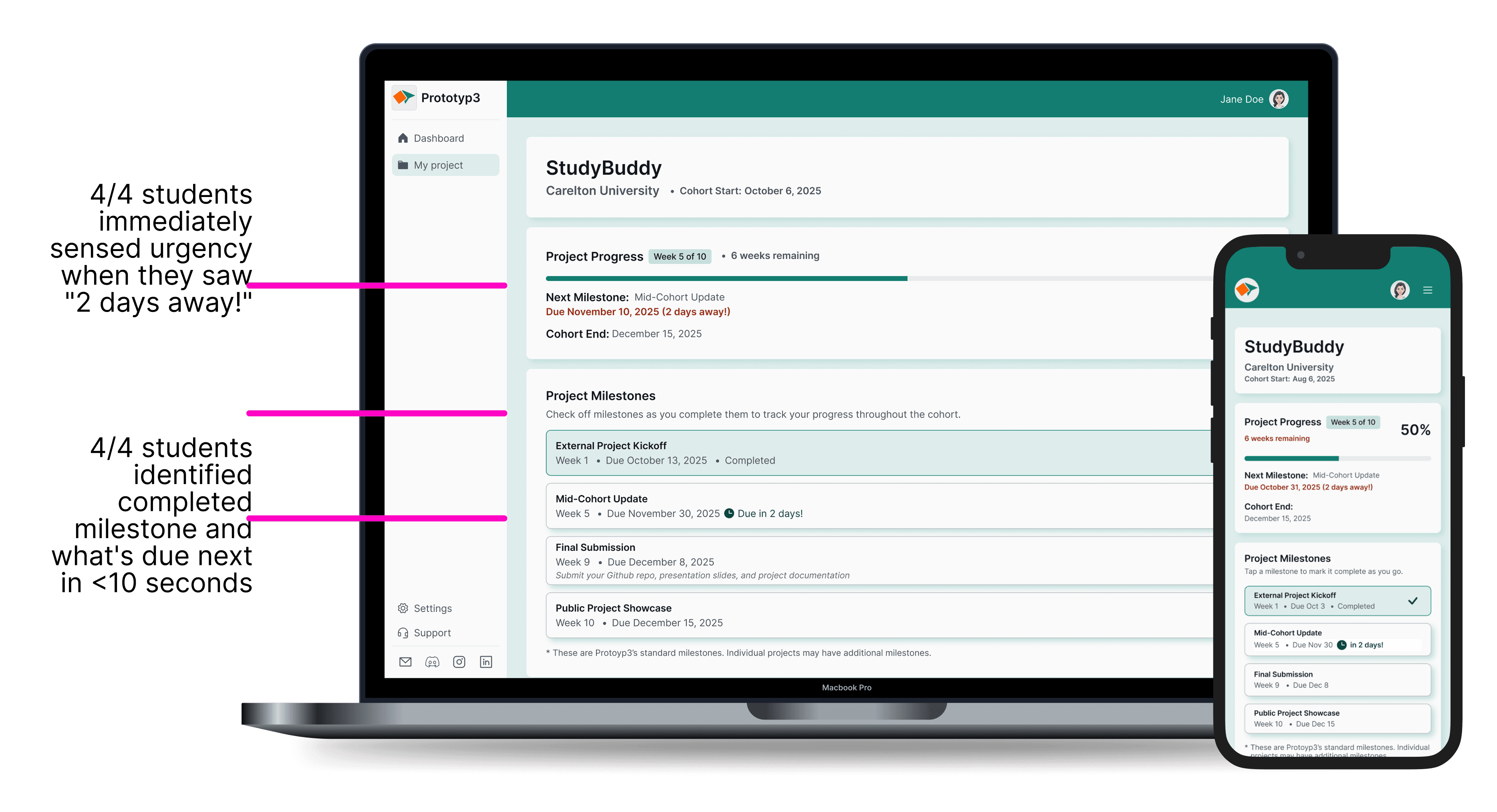
Week 5 on-track (milestone due in 2 days) - Does urgency register?
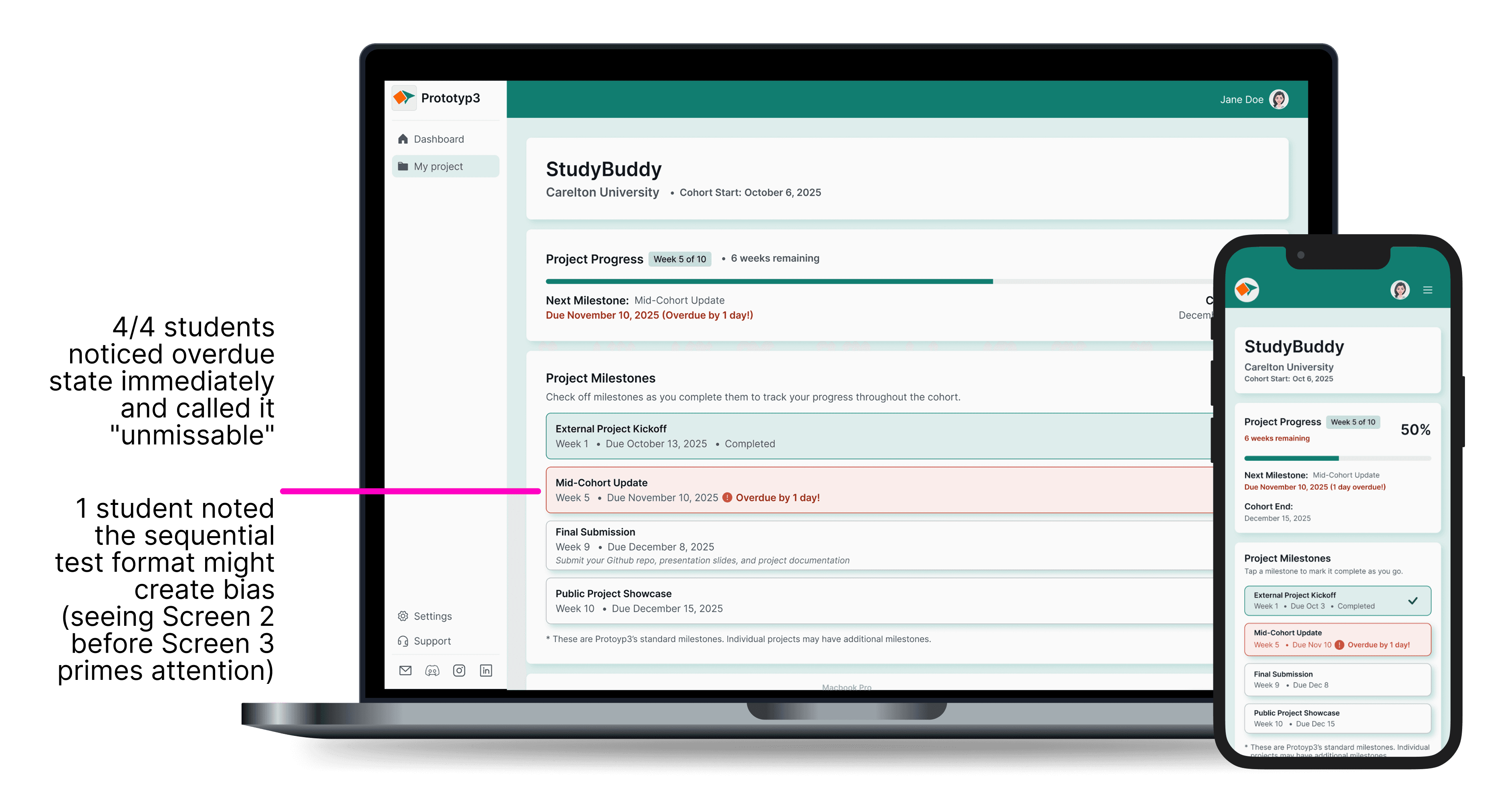
Week 5 overdue (missed deadline) - Does the warning state grab attention immediately?
How I measured success
Time to find next deadline (<10 seconds = students can act on it)
Whether overdue state grabbed attention (<5 seconds = creates urgency)
Confidence in tracking deadlines (4-5 out of 5 = solution works)
Summary Results: Deadlines Went from Invisible to Instant
4/4
Found next deadline in <10 seconds
4/4
Noticed overdue state in <5 seconds
5/5
Confidence rating on deadline tracking
"Due in X days" format eliminated mental calculation:
"Due in two days is infinitely more useful than due November 30, 2025. I don't need to do mental calculation. Step 1: look at date. Step 2: figure out today. Step 3: calculate difference. With 'due in 2 days' it's one step."
— Justin, Masters Engineer/Mentor
Fast onboarding confirmed:
"When I looked at test two, I instantly have an idea of where everything is now. The barrier to entry or onboarding process is very fast."
— Justin, Masters Engineer/Mentor
Overdue state grabbed immediate attention:
"Wow, I really like that it grabs my attention right away. It is pretty urgent and is the first thing that I need to address."
— Somto, Engineer Student
Information architecture fix validated:
"Yes absolutely. With it moved down the page and now that the milestone, resources are at the top, I feel like I have what I need to complete my deliverables on time."
— Teresa, Student
What I learned
Relative time ("2 days away") drove urgency better than absolute dates - students don't do mental math
Sequential testing created bias - participants learned UI from earlier screens, skewing overdue scenario results
Urgency requires both deadline AND timeline position, not just deadline visibility alone
Solo iteration meant no design critique - missed timeline position prominence until testing
What needs refinement for next iteration:
Timeline position visibility (3/4 saw "Week 1 of 10" immediately. Timeline needs refinement to reach 100% visibility)
Testing methodology (sequential bias in overdue scenario: show the overdue page first in the test rather than last)
Thank you =)
Product Designer
Amanda Keay
amanda.keay520@gmail.com