
Wealthsimple Accessibility Audit
As a former CPA turned designer, I focus on making financial systems accessible. When millions trust a platform with their finances, accessibility isn’t optional.
I conducted a WCAG 2.1 audit of Wealthsimple and found critical barriers preventing 15–20% of users from completing basic tasks like transfers and accessing support.
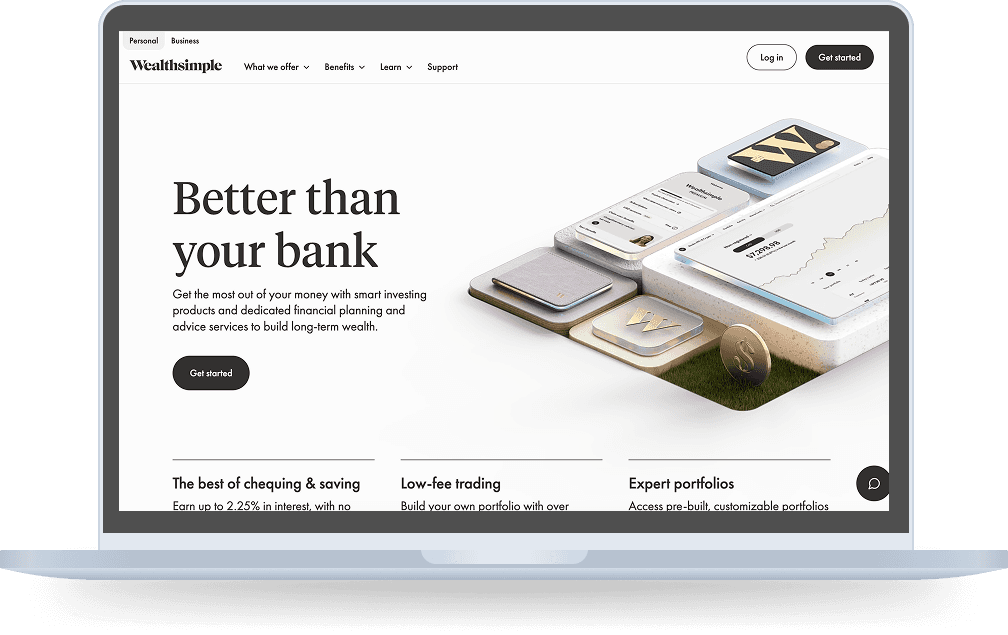
Project Overview
Product: Wealthsimple - Canadian fintech platform offering investment, savings, and banking services
Scope: WCAG 2.1 Level A and AA compliance testing across Login flow, Money Transfer flow, and site-wide navigation
Methods: Keyboard-only navigation, screen reader testing, ARIA implementation review, and color contrast analysis
Tools: WAVE, Chrome DevTools, manual keyboard testing, screen reader testing, color contrast analyzers
Key Findings
WCAG 1.1.1 NON-TEXT CONTENT (LEVEL A) - FAIL
Finding 1: Navigation Hidden from Screen Reader Users
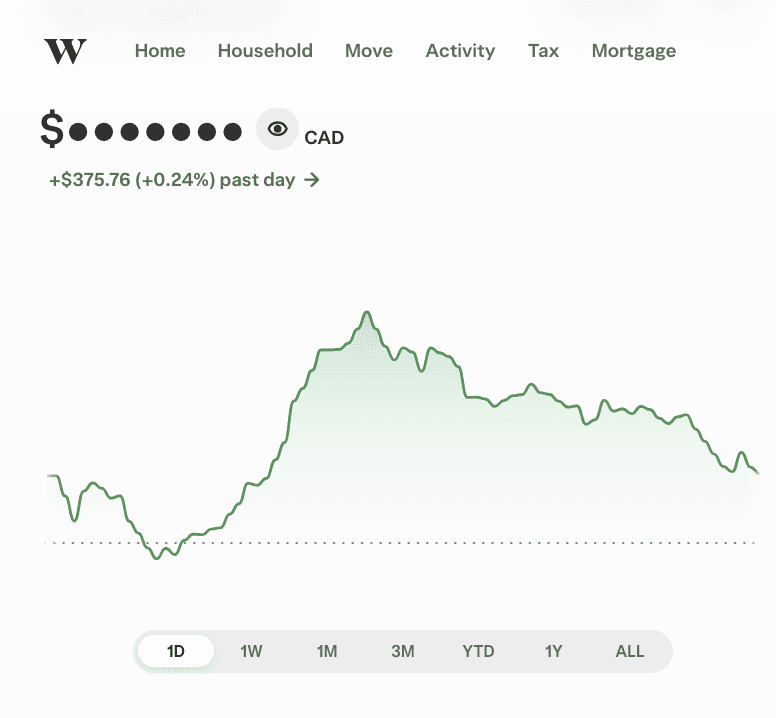
The entire top navigation bar, including home link, rewards Centre, and user profile, is hidden from screen readers. Screen reader users cannot access core site navigation, blocking them from basic functionality.
Current
Code: aria-hidden=”true”
Screen readers hear: Nothing/ silence
Should be
Fix: Remove aria-hidden="true"
Screen reader announces: "Navigation. Home, link. Household, link..."
WCAG 1.3.1 Info and Relationships (Level A) - FAIL
Finding 2: Primary Action "Add Money" Button is Empty
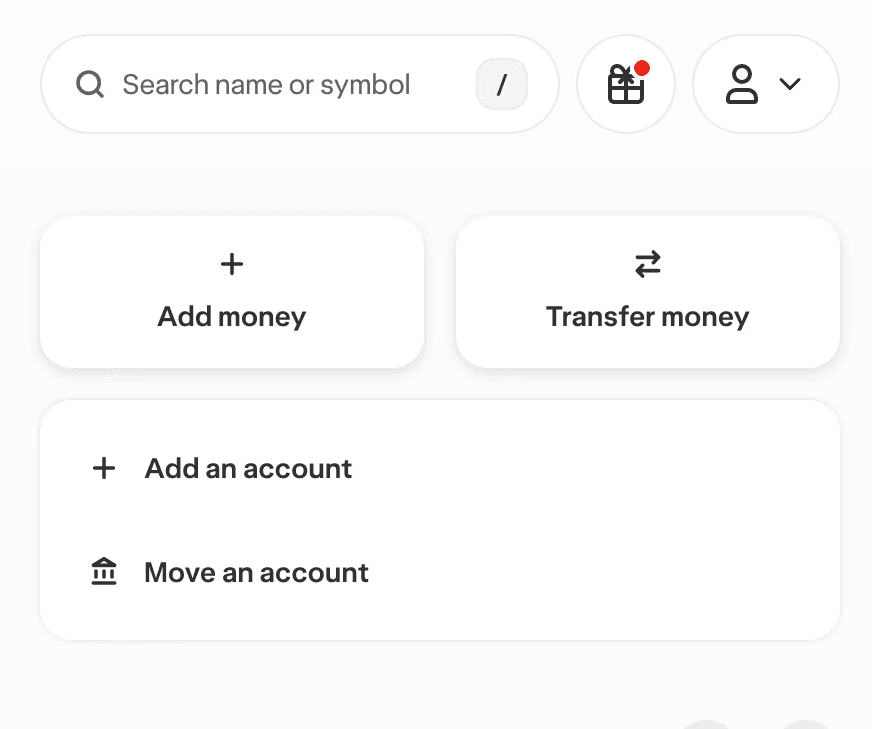
The "Add Money" button is empty with its visible label placed outside the element. Screen reader users hear only "button" with no indication of purpose, making it impossible to complete key transactions.
Current
Code: <div>
<button aria-label-labelledby=”missing-id”>
<!-- empty ---->
Screen readers hear: "button"
Should be
Fix: <span>Add money</span>
<svg aria-hidden=”true”>...</svg>
Screen reader announces: "Add money button"
WCAG 1.4.3 Contrast Minimum (Level AA) - FAIL
Finding 3: Finding 3: Unreadable Dollar Amounts
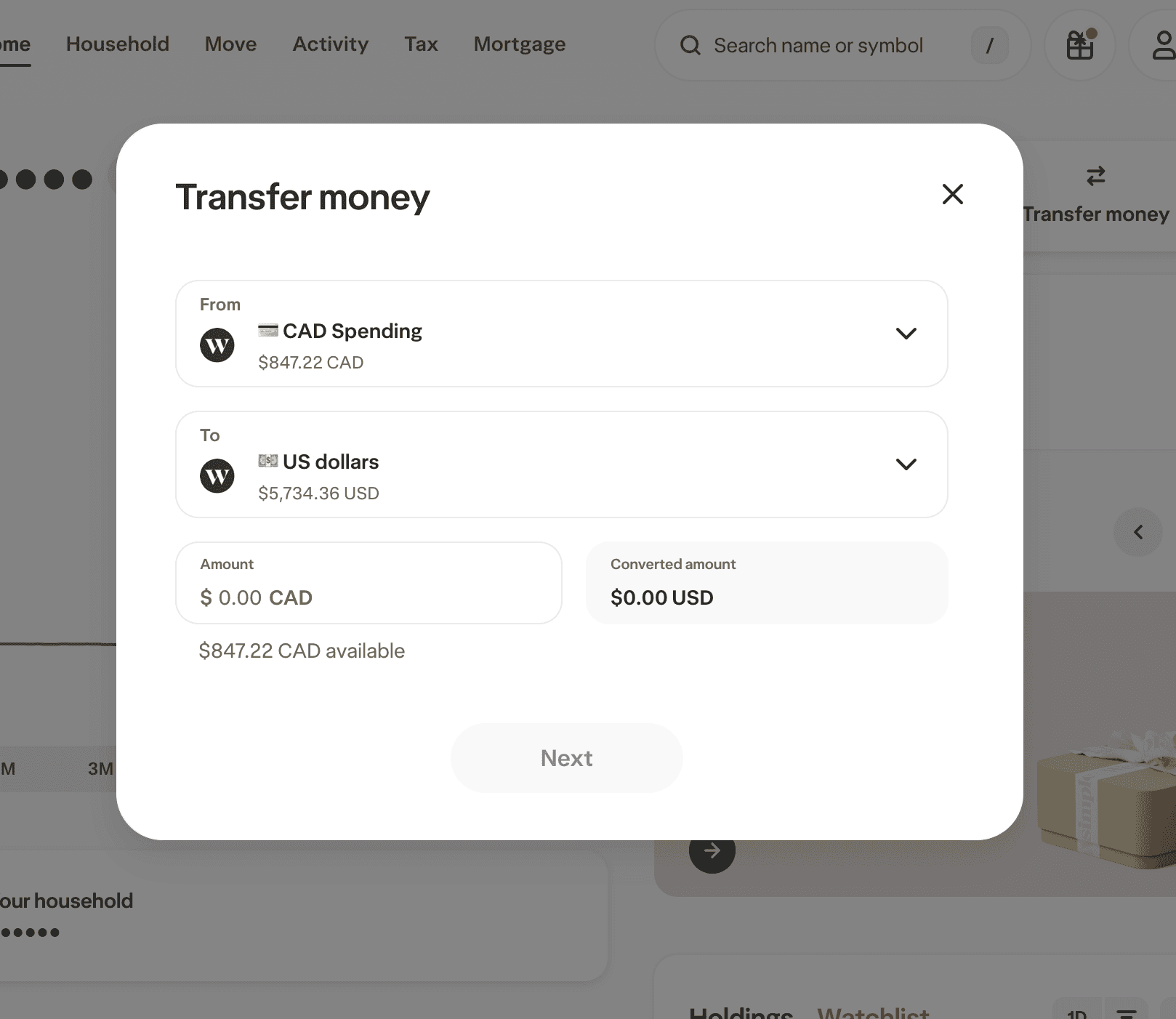
Dollar amounts have a 1:1 contrast ratio, essentially invisible. Users with visual impairments cannot read critical financial information needed to verify transactions, creating risk of financial errors.
Current
Contrast Ratio 1:1
Unreadable dollar amounts
Should be
Fix: Contrast Ratio 4.5:1+
Meets WCAG AA standards
WCAG 2.1.1 Keyboard (Level A) - FAIL
Finding 4: Keyboard Navigation Causes Accidental Submissions
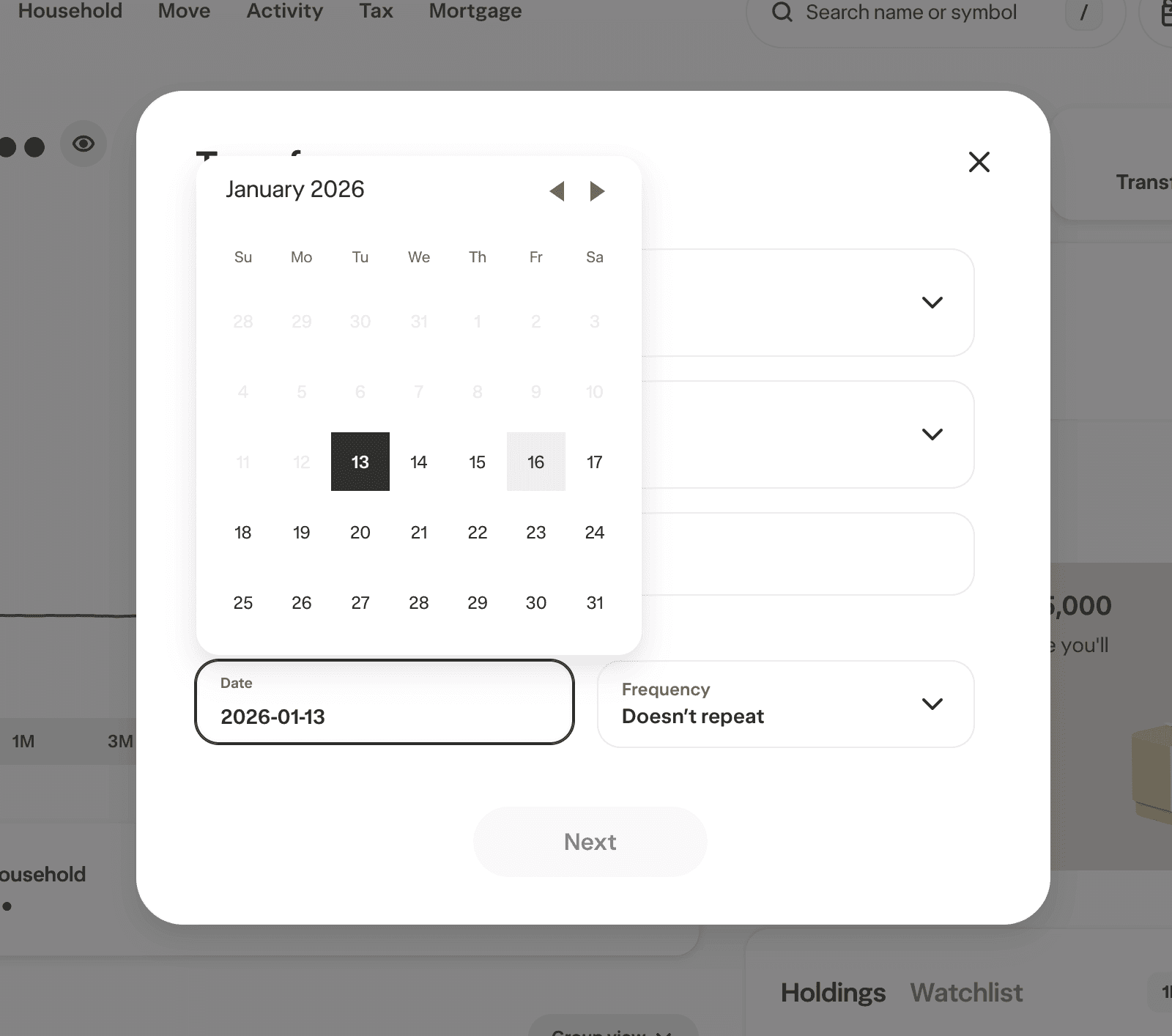
Pressing Enter while selecting a calendar date submits the entire money transfer form with incomplete data. Combined with no arrow key navigation, keyboard users face inefficiency and risk of accidental transactions.
Current
No keyboard navigation
Excludes keyboard-only users, people with motor disabilities, screen reader users, and power users
Should be
Fix: Fix or remove broken ARIA references
Implement keyboard navigation in date picker
Add visible focus indicators to CTA buttons
Allow pressing 'space' to select
WCAG 4.1.2 Name, Role, Value (Level A) - FAIL
Finding 5: Support Chat Invisible to Screen Readers
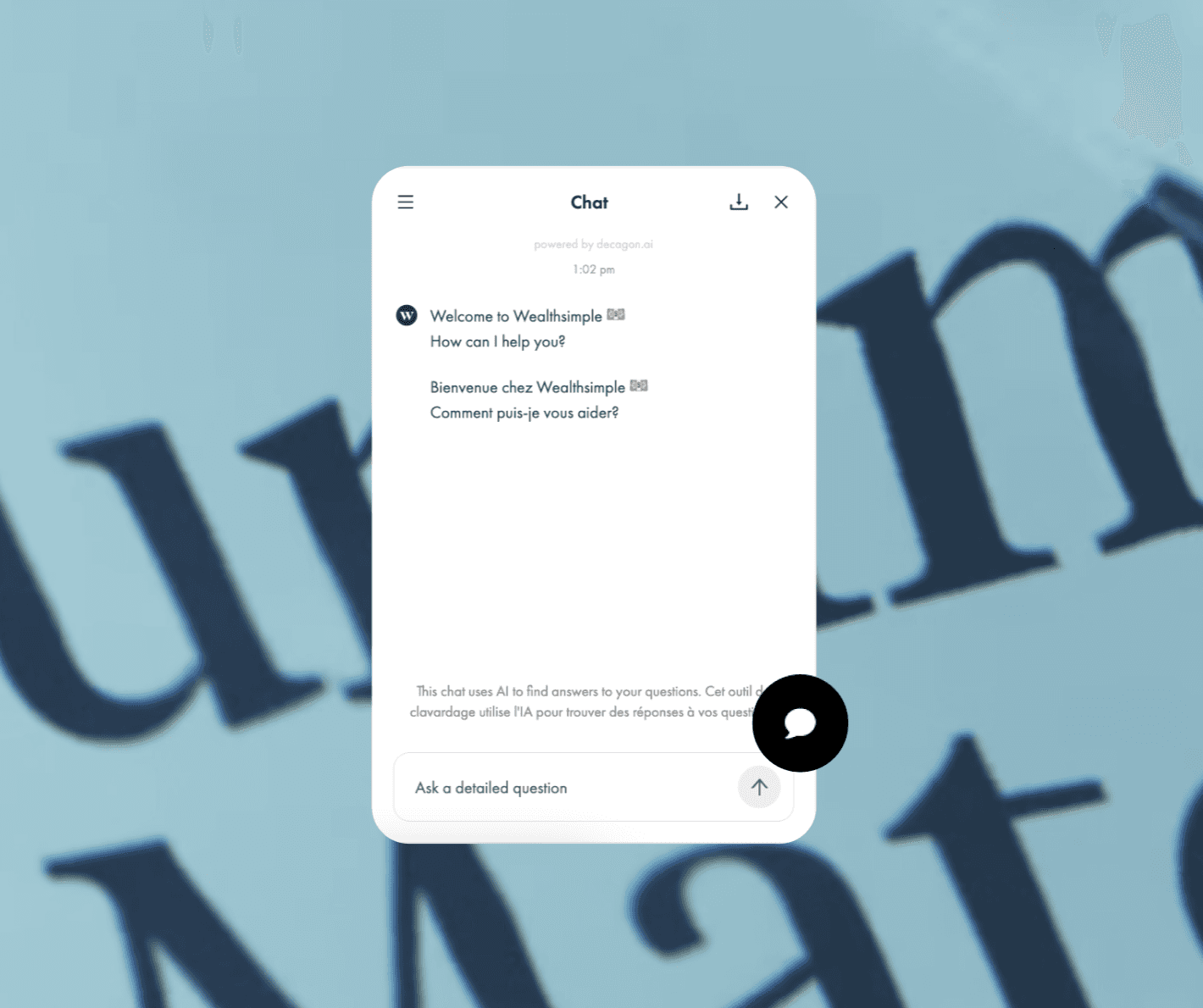
The third-party chat widget lacks an accessible name, screen readers encounter it as "frame" or skip it entirely. Users who need help most cannot identify or access the primary support channel.
Current
No title attribute, no aria-label
Users hear: “Unlabeled frame”, “Frame”, or *silence*
Should be
Fix: Add title attribute describing iframe contents and proper aria label
Users hear: “Customer support chat widget, press Enter to open”
Results Summary
LEVEL AA
Enhanced
13
Enhanced
requirements including contrast, focus, and labels
LEVEL A
Most Fundamental
13
Basic accessibility
failures including navigation, keyboard, and ARIA issues
13 Level A Violations = fundamental barriers
Must be fixed to meet minimum = accessibility standards
Key Patterns Identified
The audit revealed systemic issues rather than isolated problems:
Third-party integrations lack accessibility oversight, the chat widget inherited barriers from vendor implementation
ARIA misconfigurations point to broken references and conflicting attributes throughout forms
Keyboard accessibility gaps create both usability friction and safety risks (accidental submissions)
Visual design doesn't guarantee accessibility, strong aesthetics masked critical contrast failures on financial data
Small fixes, major impact, many issues require minimal code changes but create insurmountable barriers for users
Reflections
This audit revealed how accessibility barriers compound throughout user journeys. A screen reader user attempting to transfer money would face: hidden navigation (can't explore), unlabeled buttons (can't take action), unreadable amounts (can't verify), and inaccessible support (can't get help). Each issue is fixable individually, but together they prevent platform use entirely.
What I learned
Systematic WCAG testing methodology and how to prioritize fixes by user impact
Manual testing catches critical issues automated tools miss, especially ARIA and keyboard interactions
Accessibility is a competitive advantage in fintech, not just compliance
The most effective accessibility work happens during design, not after launch
Product Designer
Amanda Keay
amanda.keay520@gmail.com